

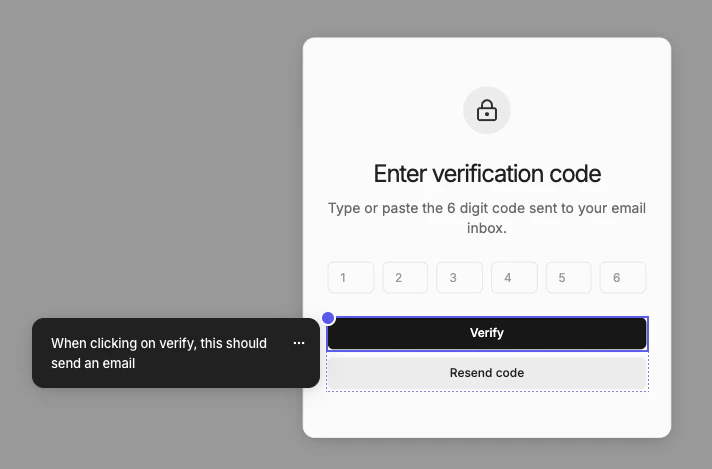
Adding annotations
- Click Annotate in navbar
- Click on an element in canvas
- Type the annotation
- Press Cmd + Enter to save
Exporting to code
Annotations double as implementation notes for design-to-code handoff. When you export a page, annotations are included as code comments — so any context you leave during design time carries over automatically.
Using annotations with AI agents
When an AI coding assistant like Claude Code, Cursor, or Codex fetches your design via the MCP server, it reads your annotations as part of the exported code. This means you can leave implementation notes while designing — describing desired behaviors, edge cases, or business logic — and your AI agent will pick them up and act on them during implementation.Use annotations to capture implementation details as you design, so nothing gets lost during handoff. For example, annotate a button with “Submit form and redirect to /dashboard on success” or a list with “Fetch from /api/items, show skeleton loader while loading.”